

🌟 Feature Highlights
🤖 Affogata as a Platform: MCP Beta Is Here
Affogata is no longer just where you view player feedback – it’s becoming your source of truth for this data and a control plane for feeding it into your business apps.This month, we are opening beta access to our MCP (Model Context Protocol) server, which connects Affogata directly to AI assistants like Claude, ChatGPT Enterprise, Gemini, Cursor, and other MCP-compatible tools.With MCP, teams can query Affogata data directly from their AI assistant instead of switching tools or building manual searches. It enables natural language access to live player feedback, clusters, and dashboards.
What you can do with MCP:
- Ask questions about player sentiment and trends in plain language
- Pull cluster summaries and key themes instantly
- Analyze feedback across channels like Steam, Reddit, Discord, and social
- Surface high-engagement posts and key issues faster
- Support workflow automation on top of Affogata data in external AI tools
All access follows existing permissions and governance from the Affogata platform.
If you want to set up MCP access for your team, reach out and we will help you get started.

📚 Affogata How-To Center
We also launched the Affogata How-To Center – a dedicated resource with step-by-step guides, videos, and an AI support assistant built directly into the experience.
Whether you need help setting up MCP, understanding DIL entities, configuring Helper, or onboarding new teammates, the How-To Center is designed to help your team move faster without waiting on support. Check it out here

📊 Dashboard: Filters That Actually Work the Way You Think
This was one of the most requested upgrades we’ve done to the dashboard. You can now slice your data by network and sentiment without touching the date or compare settings. Here’s what’s new:
Filter by network. Use the new multi-select network dropdown to focus on the platforms that matter for your question. Networks are sorted by data volume, so the most active for your game appear first. Want to see only what Reddit said during launch week?
Or just Steam and iOS? A couple of clicks and you’re there.
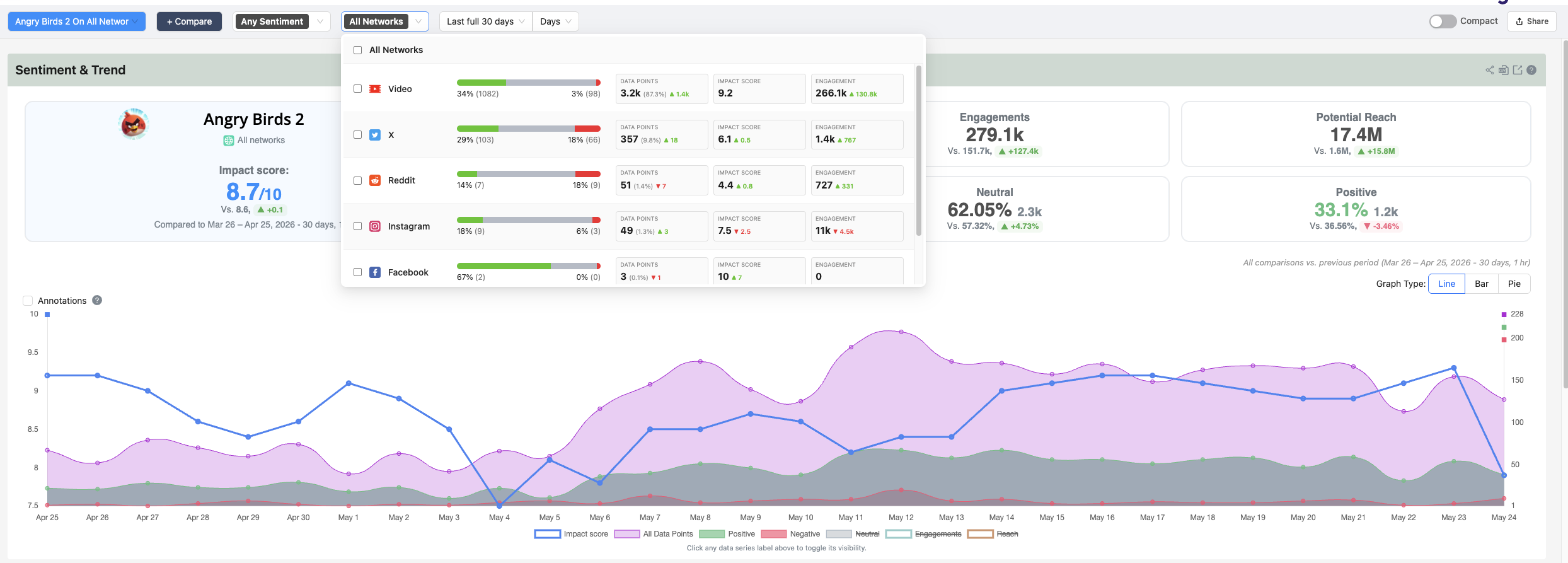
Filter by sentiment. Zero in on positive or negative feedback across all widgets at once. The sentiment filter works independently from network and date, so you can mix and match without losing your other selections.
Filters are saved in the URL. When you pick a combination of filters, the URL updates to reflect exactly what you’re looking at. Copy the link and share it with a teammate and they’ll land on the exact same view – same networks, same sentiment, same dates.
Smarter dashboard search. When you search for a dashboard by name, results now expand across all sections (Brands, My Searches, Team Searches) at once so you see every match without clicking through folders one by one.
🗒️ Clusters: Insight on Your Schedule
On-demand summaries. Request cluster summaries for any time period up to a year. For large datasets, an engagement-based sample is used to keep it fast, and results are delivered by email.
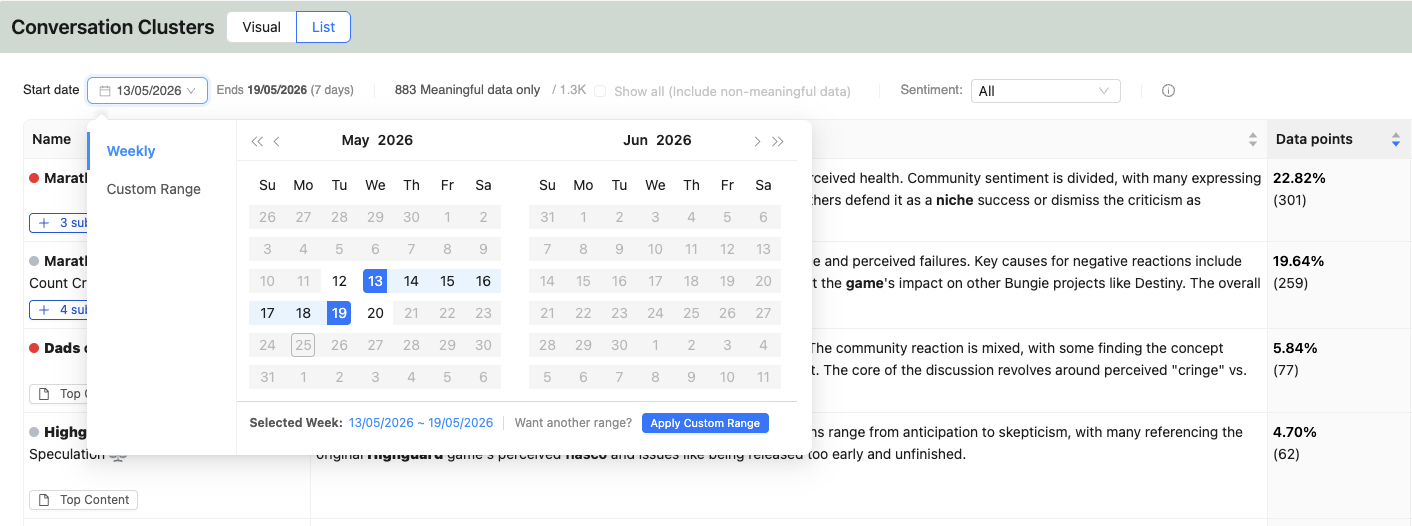
Keywords highlighted in top content. Keywords driving each cluster are now bolded inside posts, making it easy to understand why content was grouped. Works across languages with translation and stemming support.
💬Respond to Players Without Leaving Affogata
X / Twitter: Reply to posts or send DMs directly from Affogata with your authenticated account.
Instagram: DMs, mentions, and tags appear in your inbox and can be replied to directly.
Facebook: Page mentions are automatically captured and appear in your streams.
🎯 Find What Actually Matters, Faster
Live Search now supports filtering by engagement or reach to surface high-impact posts.
Steam purchase status filter helps separate genuine player feedback from non-purchase reviews.
Tab titles now show your current view for easier navigation across multiple tabs.
⚙️ Rules: See What’s Working
Rules now include usage statistics so you can see how often they fire and what impact they have, making cleanup and optimization easier.
🚀 Coming Up Next
Here’s what’s already in progress for the next release:
- Reply to YouTube comments directly from Affogata
- LinkedIn support – read and engage with LinkedIn content from within the platform
- AI Search – generate Boolean queries from natural language prompts
- Dashboard date comparison – compare any two time periods side by side
- “What happened here?” – click any spike or dip and get an AI explanation of the drivers
💡 Have feedback or feature requests? Your input shapes our roadmap.
Reach us at info@affogata.com.
Need assistance? Book a walkthrough session with our success team to explore these new capabilities. ☞ Book a Success Session